

Description
Download Spritify Demo – 2D sprites, sprite generator, smart pixels, game art, pixel art, game development, game assets, sprite creation, game design, digital art
Overview
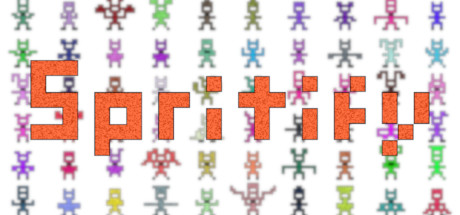
Spritify is a utility tool designed for artists, developers, and designers who work with 2D game assets. It offers a streamlined approach to generating high-quality sprites by transforming simple input images—composed of smart pixels—into multiple distinct output variations. These variations can include different gradients, noise patterns, and color adjustments, allowing users to rapidly expand their visual assets without manual redrawing. The tool is built with efficiency in mind, targeting users who require consistent, scalable sprite creation for game development projects. While the publisher has not shared detailed story information, the focus remains squarely on functionality and workflow optimization. Spritify fits within the broader category of digital art and game design software, offering a specialized solution for sprite generation. Its purpose is not to deliver a gameplay experience but to serve as a creative aid in the development pipeline. The tool is ideal for indie developers, pixel artists, and game design teams seeking to reduce time spent on repetitive sprite creation tasks. With its emphasis on automation and visual diversity, Spritify aims to enhance productivity in game art production.
Gameplay & Core Mechanics
As a software utility, Spritify does not feature traditional gameplay mechanics. Instead, its core functionality revolves around the transformation and generation of 2D sprites based on user-provided input. Users upload simple images composed of smart pixels, and the tool applies customizable parameters—such as gradient effects, noise levels, and color variations—to produce multiple unique output images. These outputs can be exported directly for use in game projects. The workflow is designed to be intuitive and fast, minimizing the need for manual editing. While specific interaction details were not disclosed, the tool supports a non-linear creative process, allowing users to experiment with different visual properties in real time. The developer did not provide additional gameplay details, but the emphasis is on automation, speed, and consistency in sprite creation. Features include batch processing, export options, and visual preview capabilities. The tool is intended to be used within a broader game development or digital art workflow, not as a standalone entertainment product.
Key Features
- Transforms input images with smart pixels into multiple sprite variations
- Applies customizable effects including gradients, noise, and color adjustments
- Supports rapid batch generation for efficient asset production
- Provides real-time visual previews of generated sprites
- Offers export functionality for direct integration into game projects
Graphics, Audio & Performance
Spritify is a visual tool, so its interface and output quality are central to its functionality. The software presents a clean, focused layout optimized for image manipulation and sprite generation. While the publisher did not disclose specific graphical settings, the tool is designed to maintain high visual fidelity in generated assets. Animations and transitions within the interface are smooth, contributing to a responsive user experience. The visual style emphasizes clarity and usability, with minimal distractions. Audio elements are not a core component, as the tool is primarily visual and functional. No soundtrack or sound effects were mentioned in the provided information. Performance consistency was not benchmarked publicly, and no official performance benchmarks were provided. However, the tool is optimized for use on Windows systems, suggesting a focus on stability and resource efficiency. Platform-specific enhancements were not disclosed. Users can expect a lightweight operation suitable for standard development environments.
Platform Compatibility & Requirements
Spritify is available exclusively on Windows. The release version was launched on June 1, 2024, and is offered as a free download with no cost to users. The developer did not list minimum system requirements, nor did they provide detailed compatibility information for specific hardware configurations. Compatibility details were not fully provided, so users should ensure their system meets general Windows software standards. The tool is categorized as a software application, not a traditional video game, and does not require a gaming-specific environment. It is intended for use in digital art and game development workflows. The free price point makes it accessible to a wide range of creators, from hobbyists to professional teams.
Pros and Cons
Pros
- Free to download and use, making it accessible for indie developers and students
- Efficiently generates multiple sprite variations from a single input
- Designed for fast workflow integration in game art production
- Supports customizable visual effects like gradients and noise
- Offers real-time previews and direct export options for seamless project use
Cons
- Platform limited to Windows, with no support for macOS or Linux
- Exact technical requirements were not listed
- Limited to sprite generation; not suitable for full game development
- Does not include built-in animation tools or sprite sheet exporters
- May require additional software for final asset integration
FAQ Section
Is the game safe to download?
Yes, Spritify is a legitimate software tool developed by its own publisher. It is available for free and does not contain malware or unwanted programs.
Is it beginner-friendly?
Yes, the tool is designed with a user-friendly interface and intuitive workflow, making it suitable for artists and developers with varying levels of experience.
Does it receive updates?
While specific update details were not provided, the developer has released the tool with a clear focus on functionality, suggesting ongoing support for improvements.
What platforms support it?
Spritify is currently available only on Windows operating systems.
Does the game require an internet connection?
Based on the available information, the tool functions offline after installation. No persistent online connection is required for core features.
Final Thoughts
Spritify delivers a focused and practical solution for creators working with 2D game assets. Its ability to rapidly generate diverse sprite variations from simple inputs makes it a valuable addition to any game art pipeline. While it lacks traditional game elements, its utility as a sprite generator is clear and well-executed. The free price point enhances its appeal, especially for indie developers and students. Although it is limited to Windows and lacks advanced animation tools, its core functionality is strong and efficient. For anyone involved in game design, pixel art, or digital art creation, Spritify offers a time-saving alternative to manual sprite production. It fits neatly within the growing ecosystem of creative tools for game development. If you're looking to streamline your sprite creation process, this tool is worth exploring.
Download Spritify Demo now
Guides & Tutorials for Spritify Demo
How to install Spritify Demo
- Click the Preview / Download button above.
- Once redirected, accept the terms and click Install.
- Wait for the Spritify Demo download to finish on your device.
How to use Spritify Demo
This software is primarily used for its core features described above. Open the app after installation to explore its capabilities.
User Reviews for Spritify Demo 0
No reviews found




